June 11, 2026 · 4 min read
WordPress AI plugin for Gutenberg: what AI Block Editor actually does
People searching for a WordPress AI plugin usually mean one of a few different things. Sometimes they want AI writing help. Sometimes they want AI-generated images. Sometimes they want an assistant that can work directly inside Gutenberg and help build layouts with blocks.
AI Block Editor fits that third category. It is closer to a Gutenberg AI assistant than a generic AI content plugin.
Instead of generating text in a separate screen, it adds an AI sidebar inside the WordPress editor. You describe a layout or edit in plain language, and the plugin creates or updates blocks directly in Gutenberg.
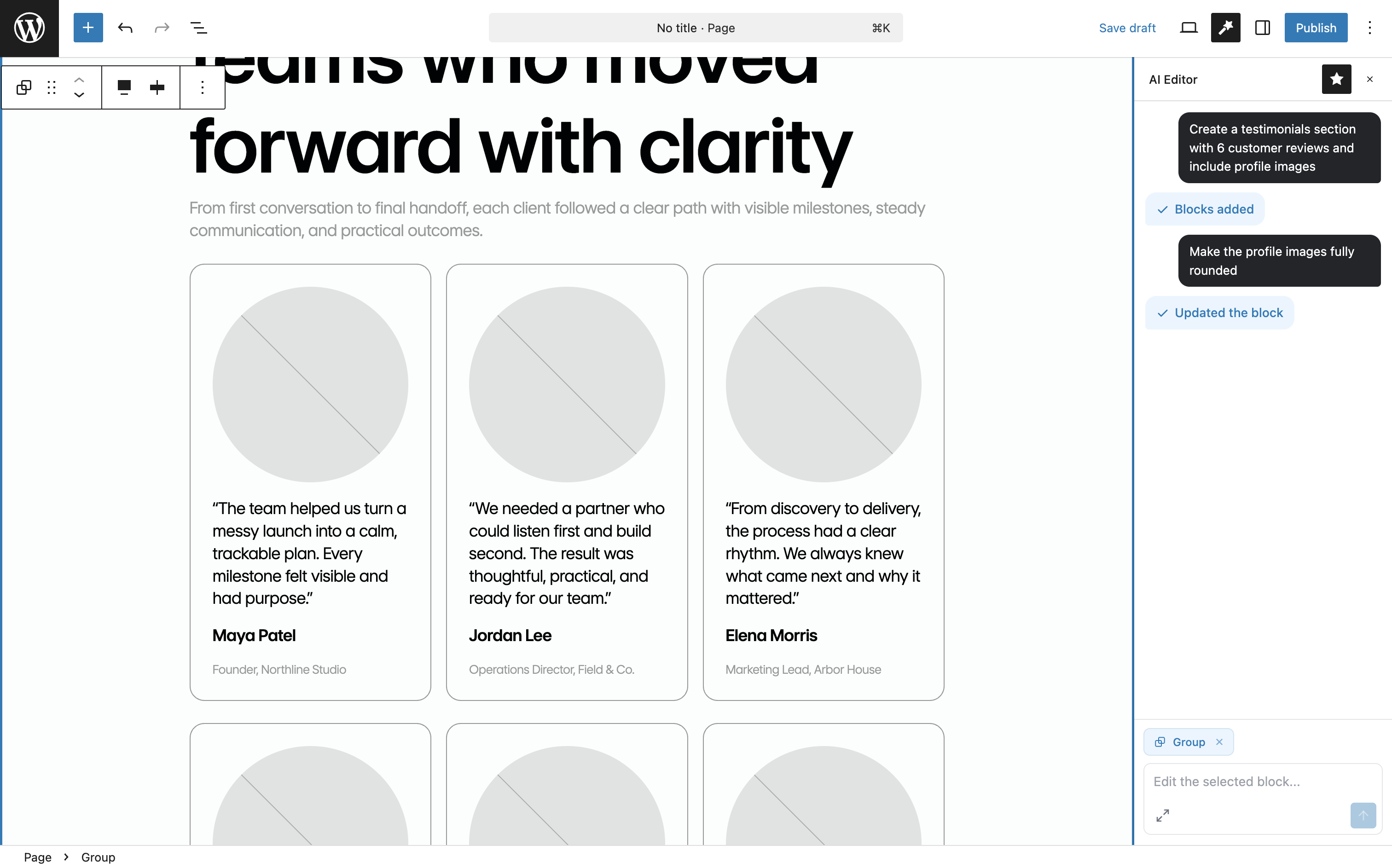
What kind of WordPress AI plugin is this?
AI Block Editor is not trying to be an all-in-one AI suite for WordPress. It is focused on block editing.
Based on the current WordPress.org listing as of June 11, 2026, the plugin is built around a few core ideas:
- natural-language block creation inside Gutenberg
- selected block editing for existing layouts
- support for core blocks and limited editing of custom or third-party blocks
- theme-aware output when a site uses
theme.json - bring-your-own OpenAI API key instead of a bundled credit system
That makes it more useful for people building pages in the block editor than for teams looking for bulk SEO content generation, chatbot widgets, or automated publishing workflows.
Why it stands out as a Gutenberg AI assistant
The main distinction is not just that it adds AI features. A lot of WordPress plugins do that now. The more relevant question is whether the assistant works inside the editor where the page is being assembled.
If you already use Gutenberg heavily, that matters because the workflow stays inside the editor. Instead of asking AI for a chunk of text and then manually turning it into columns, headings, buttons, lists, or grouped sections, you can ask for the structure directly.
That is a better fit for prompts like:
- create a three-column pricing section
- rewrite this selected testimonial block
- turn this draft into a magazine-style block layout
- rebalance the spacing in this selected group of columns
For users comparing WordPress AI tools, this is the distinction worth noticing: AI Block Editor is more about block structure and editor workflow than raw text generation.
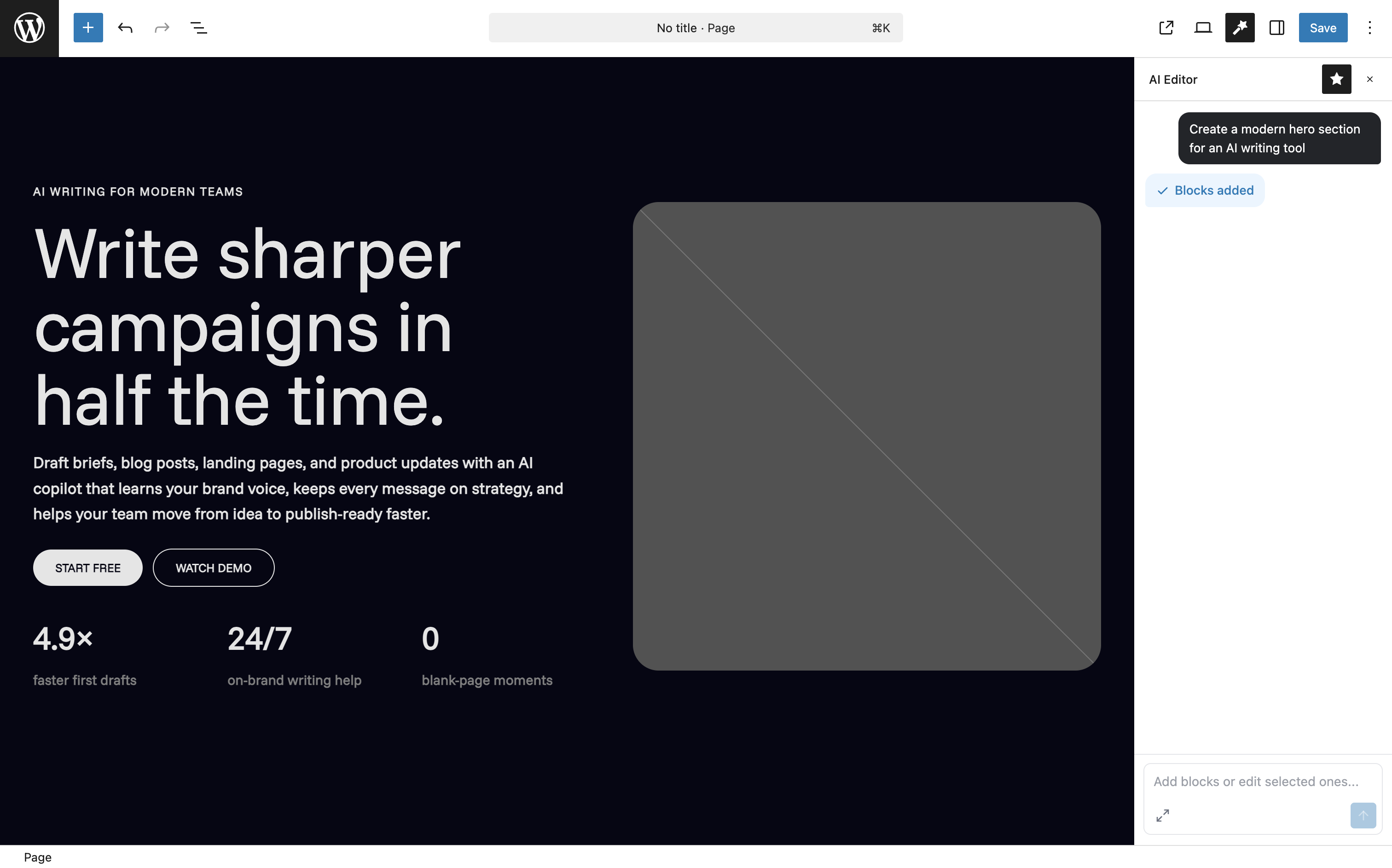
Where it fits in a WordPress AI workflow
For a block-based site, the plugin looks most useful in these situations:
- building first drafts of landing page sections in Gutenberg
- restructuring existing content into cleaner block layouts
- editing selected blocks without manually rebuilding a section
- keeping generated output closer to the active theme when
theme.jsonis well configured
That last point is especially relevant for modern block themes. The plugin says it can use theme presets and editor settings for colors, spacing, typography, and layout, which means it is trying to produce output that matches the site rather than ignoring the design system.
For developers, the listing also mentions support for the WordPress Abilities API on WordPress 6.9+, which opens the door to site-specific AI actions and data access when explicitly registered.
Who this plugin is for
AI Block Editor makes the most sense for:
- WordPress users already working in Gutenberg
- agencies building block-theme sites
- content teams that want faster layout drafting, not just faster copy generation
- developers who prefer BYOK tooling and more direct control over model choice
It makes less sense if your main need is AI blogging at scale, automatic affiliate content, or a broad site-wide automation tool.
Bottom line
If you are looking for a WordPress AI plugin that behaves like a Gutenberg AI assistant, AI Block Editor is worth looking at because it works on the actual block canvas instead of treating Gutenberg as an afterthought.
Its value is mostly in helping create and edit layouts with blocks, especially on sites that already rely on theme.json and modern block-editor workflows.